Better gear, better life


M1 AI Smart Watch For Women Men With Bluetooth Headphone
$69.99$135.9949% off
Color: blue
Quantity
❤️Free shipping on orders over $49.99 worldwide
❤️Returns>> Fast refund,100% Money Back Guarantee.
❤️99.3% of Reviewers Recommends This Product.
❤️If you are not satisfied within 30 days, you can return it for free.
❤️Shipping>>Worldwide Express Shipping Available
❤️Secure Payments Via CreditCard
Product Description:
Functions:
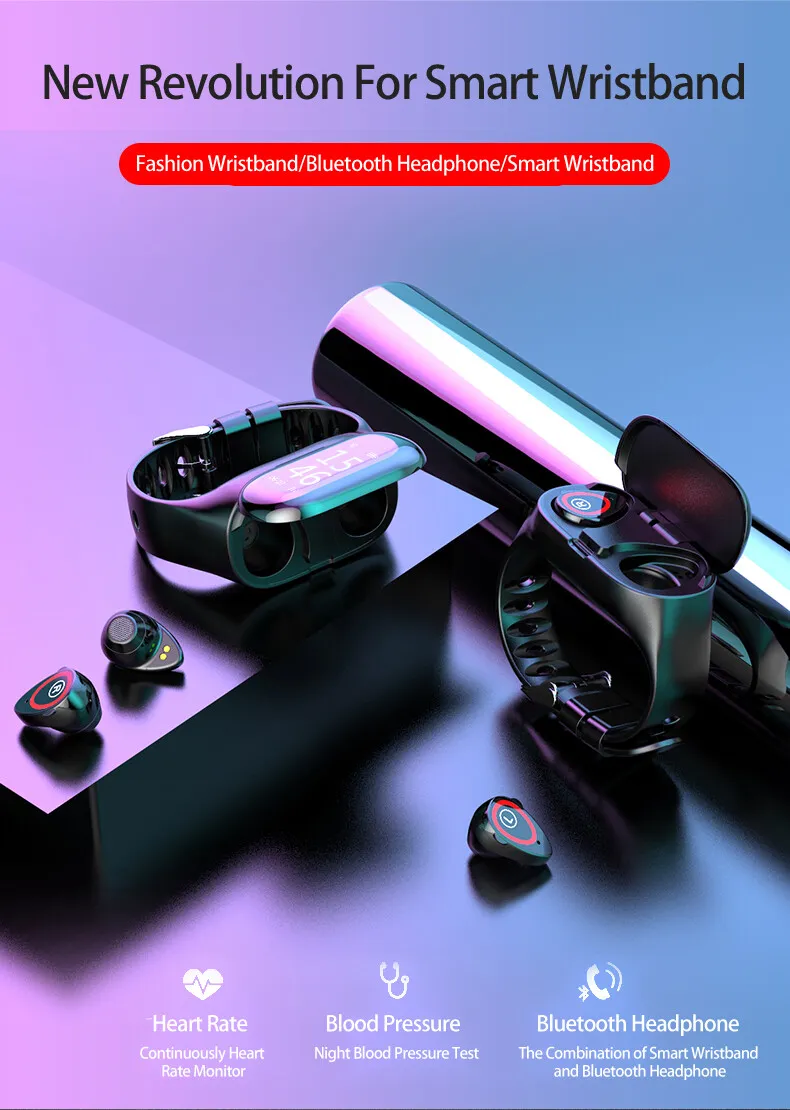
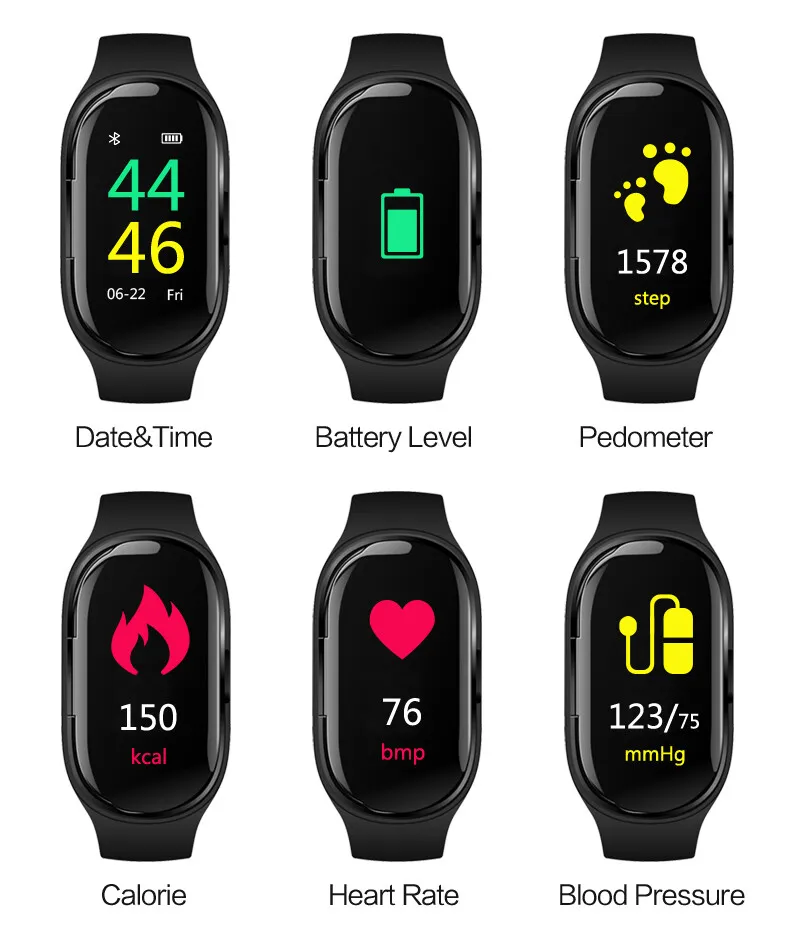
- Dynamic Heart rate; Sleep Monitoring; Blood Pressure Monitoring;
- Smart Alarm; Long-sitting; Message; Long standby; Find the bracelet;
- Pedometer:Steps, Calorie, Distance
- Reminders: Incoming call name
- Notification Support: Incoming Call, WhatsApp, Facebook, WeChat, Email notifications
- Bluetooth headphone function: Answer the call, Listening to music.
- Compatible system:Android, IOS.
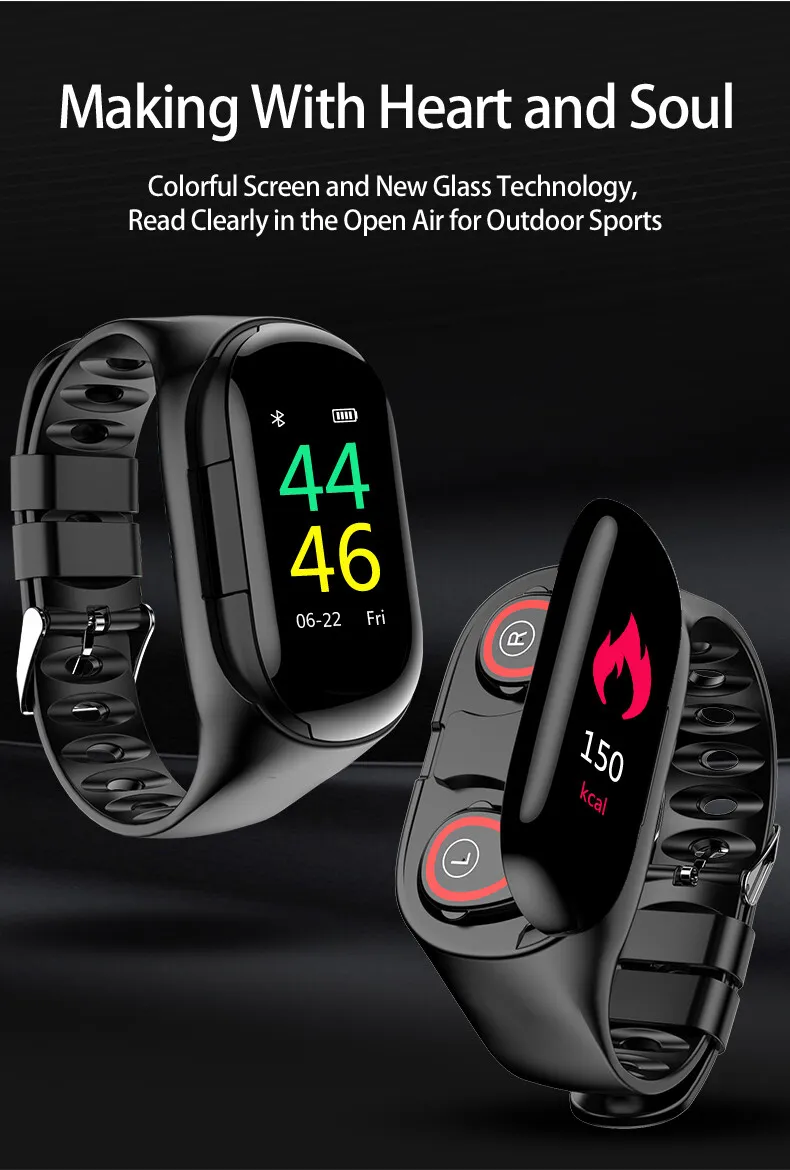
Screen material: 0.96 inch TFT color screen
Wearing method: wristband
Compatible system: Fully compatible
Wireless distance: 10m
Battery capacity: 120mAh
Operation method: touch + button
Product size: 250 * 22 * 12mm
Screen resolution: 240 * 240px
Wristband Material: Silicone
Strap size: M / L (suitable for 150-200 mm wrist circumference)
Color: blue, black, red
Q&A
Q: Why is the heart rate (sleep) test not allowed?
A: The first-hand ring device monitors human activities through electronic sensors. It is a consumer product. It is normal to have certain errors. Please treat the data objectively.
Q: Where do I set the APP permissions?
A: Android Phone - Settings - Rights Management - Find "AMKang" App - Set to trust this software. If the phone has a security management class or an application for cleaning up the acceleration class, set "AMKang" to whitelist (trust list);
Q: I wear headphones, but I can't hear the ringtone when I call.
A: Please make sure that the headset and mobile phone are within the effective Bluetooth connection distance. If the mobile phone is connected to many Bluetooth devices, please clear the invalid connection in the Bluetooth settings of the mobile phone.
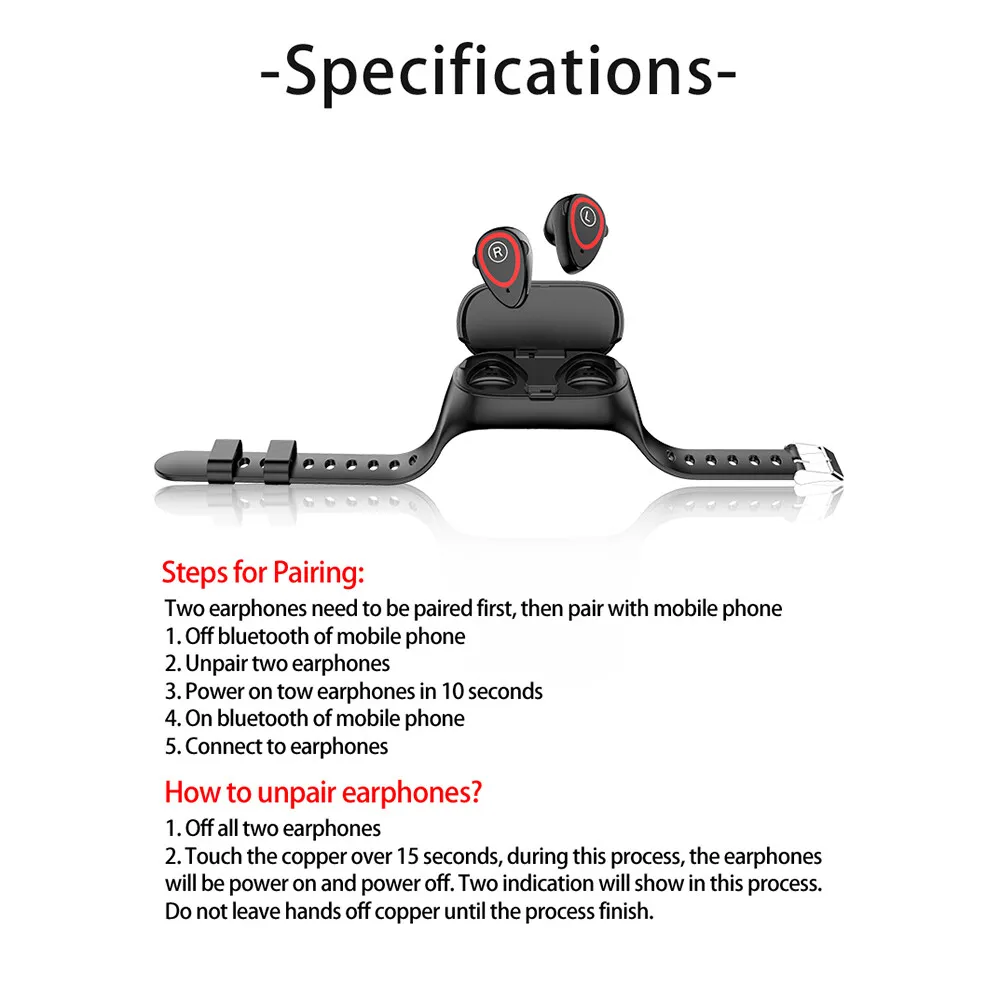
Headphones Connection Step
- Ensure that the headset is off. Shutdown procedure: wear the headset on your ear, press and hold the headset touch screen for 10 seconds until you hear the shutdown prompt
- Clear pairing record, Steps: Put the earphone on your ear, press and hold the earphone touch screen for 15 seconds, Clear pairing completed after two shutdown beeps.
- Put the headset in the watch
- Take the earphone out of the watch and put them on your ear. At this time, the earphone will have a power-on tone.
- Turn on the phone Bluetooth, find the Bluetooth corresponding to the headset and connect (the last letter of the Bluetooth name of the headset is “L”). After the pairing is successful, the phone settings will display “Connected”.
Note: After the headset is successfully paired, put it back in the watch, then remove the headset from the watch and it will automatically turn on and automatically connect.
If the phone has a manual disconnect, you will need to reconnect it in your phone's Bluetooth settings.
Package:
- Smartwatch host ×1
- Bluetooth headset × 2
- Charging line × 1
- Packing box × 1
- User manual ×1

- We truly offer the most stunning, trendy highest-quality products in the world.
- If you are not satisfied with receiving the goods, you can apply for a refund.
- We will do WHATEVER it takes with outstanding customer service support to assist everyone as we highly value our customer satisfaction with absolute ZERO risks.
- We have 24/7/365 Ticket and Email Support. Please contact us if you need assistance.